I Built My Own Video Editor Because Camtasia Wasn't AI Native
Why I stopped waiting for my video editor to catch up with AI and built one that works the way I do
It's amazing what you can do with AI nowadays. Images, audio, video, all of it. But the biggest thing for me is personal software, and recently I went all in on it and built my own video editor.
You may be wondering why anyone would build a video editor when there are so many out there already. I have a very good reason, and it starts with the one I used for years.
Camtasia got a lot right#
For years I edited everything in Camtasia. It has its downfalls, but the thing I really like about it is that the controls are intuitive, and it does a lot out of the box that many video editors and screen recorders don't.
You can record your screen and whatever camera you have at the same time. I use an Elgato capture device with a Panasonic Lumix GX9, and it picks up system audio too. You don't have to set anything up, it just works.
The editing is good as well. My favourite feature is extending a clip. If I've recorded my screen and want it to last longer, I hold a key, drag the end of the clip, and it fills the gap with a frozen frame. I like the stitching, the way the animations work, and the fact that there's no fixed audio or video track. You can put anything on any layer and you never feel restricted.
But every update broke something#
There's a big problem with Camtasia, though, at least on the Mac. It felt like every single update was buggy. It would introduce something new and break something else.
The bigger problem for me was that it wasn't AI native. I'll take that back slightly. Under the hood, a Camtasia project stores all your edits as JSON, so an AI can read it, manipulate it, and do things with it.
But when it comes to getting AI to cut silences or retakes automatically, Camtasia doesn't make it easy. That job belongs to a separate app, Audiate, which does text-based editing. I'd already paid for Camtasia, and I didn't think it was worth paying for something else on top just to get my edits done.
So I built my own with Claude#
So I thought, why not get Claude to build me an editor? It wouldn't be the first video tool I've built for myself. Before this there was Cuca, for syncing my audio and video.
I'll be open and say it was difficult at first. I didn't get what I wanted straight away. But after a lot of trial and error I got there. I called it Beacon, and it's now, in my opinion, better than Camtasia for the way I edit.
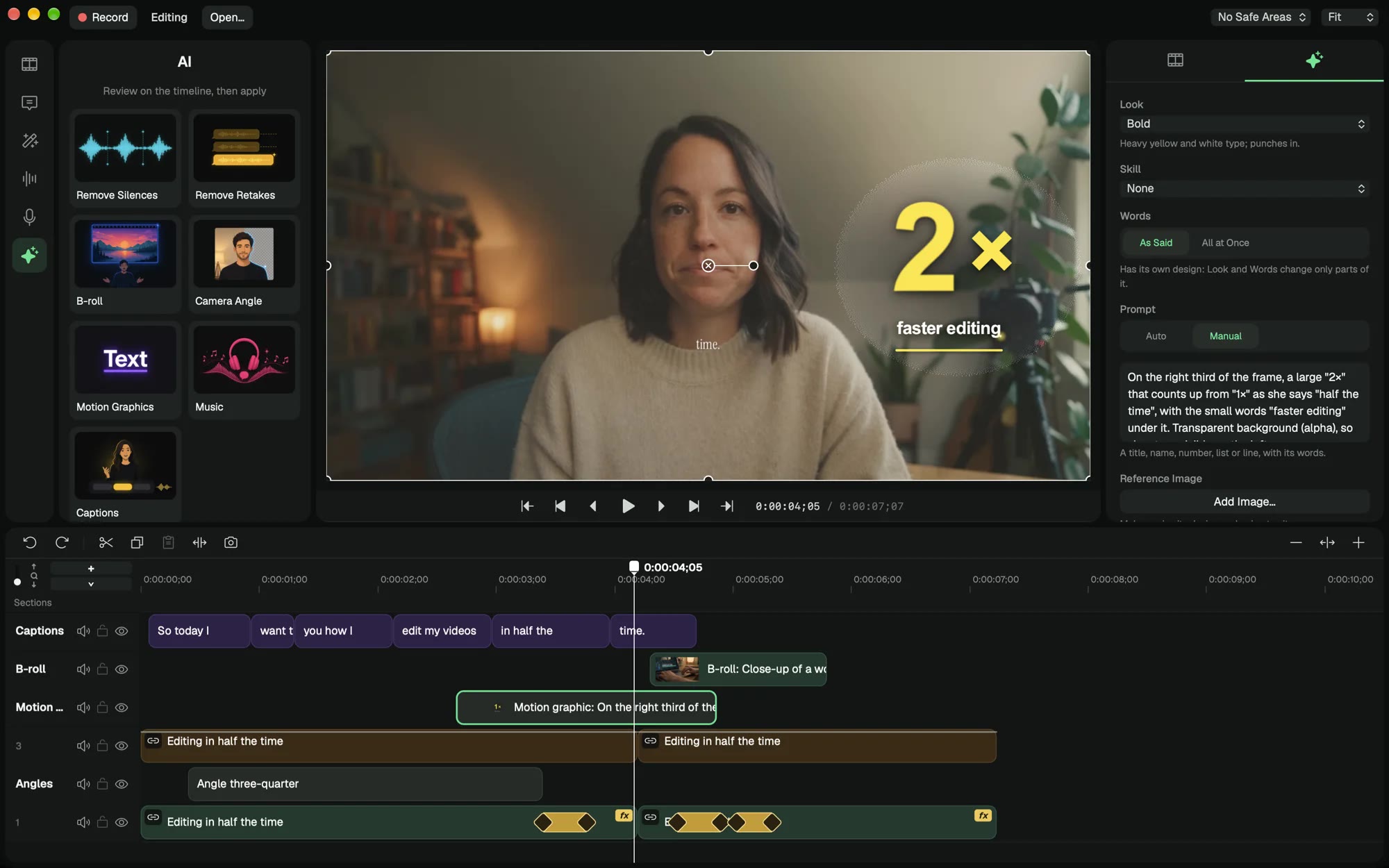
It's a web app wrapped in a native Mac app using Electrobun. It's like Electron, but it uses the browser that already comes with the Mac, which means WebKit rather than Chromium. The downside is that I couldn't use HyperFrames, because that's built on Chromium. So I took the best bits of it, mainly the components, and got them working on WebKit. That means my editor can create motion graphics right inside the timeline.
Things my editor does that Camtasia doesn't#
The big one is that the editor has its own MCP server. At the time of writing, Camtasia doesn't have one. I know I've said MCP servers aren't great for coding, but this isn't coding.
That opens up a lot. Camtasia doesn't help you find music or sound effects. You can add them, but you do it all manually. My editor is connected to the Epidemic Sound MCP, so I just tell Claude to add music and sound effects, and it does it flawlessly.
The whole edit happens through Claude now:
- Rough cut. Claude goes through the audio and removes the bad takes, silences, and everything else that shouldn't be there.
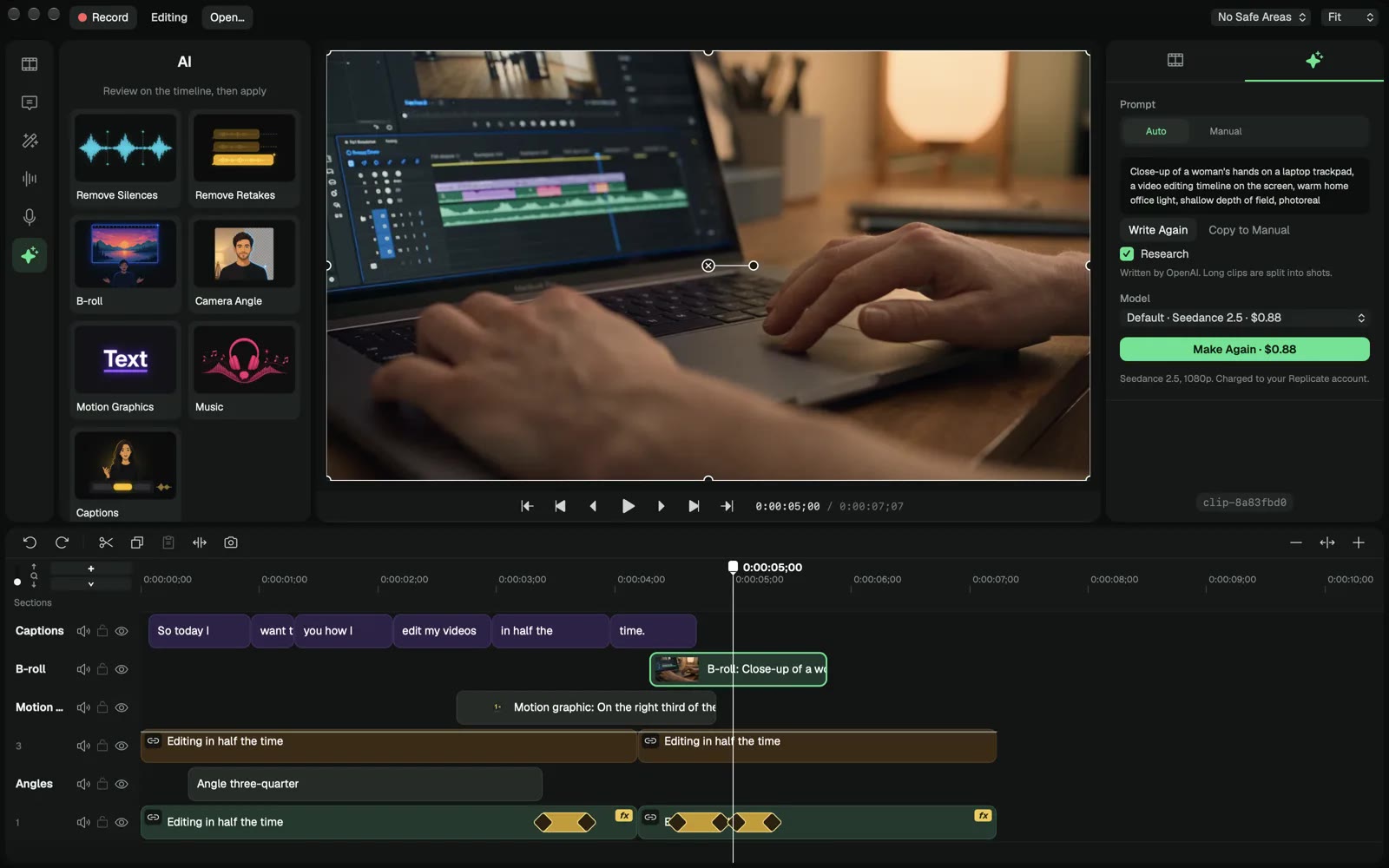
- The edit. Claude adds animations, motion graphics, and B-roll. The editor is also connected to my Replicate account, so it can generate B-roll with Seedance.
Down the AI video rabbit hole#
Building all this sent me down a rabbit hole of AI video models, and I've learnt a lot about making AI video that actually looks good.
It started because I wanted a tool in the editor that could create different camera angles. That tool still exists, but getting there wasn't straightforward. Seedance is probably the best model around, but it's really expensive.
So I found ways around it. ByteDance has a video upscaler that takes video from 480p up to 1080p or even 4K, and I've been using it a lot. With the right prompt and a bit of massaging, cheaper models like Wan 3.0 can produce very good videos too. And Seedance has recently released a Flash model, which is cheaper again.
AI gets you 90% of the way#
All of this to say, I'm heading towards making videos completely with AI. With a lot of human direction, of course.
For some of them I'll use my own voice rather than an AI one, because in my experience AI voices still sound a bit robotic. I've got a whole process for it. I create a character, do some test recordings myself, and use those recordings to give the character its expressions when generating the video. Then I run my voice through Fish Audio, another cheap model, to turn it into whatever matches the character's persona: male, female, American, and so on.
Now, I could get Claude to do the whole thing, generation and edit included. But what I've found with images and video (I haven't tried music, but I'm sure it's the same) is that AI gets about 90% of the way there, and the last 10% needs a human. It's the same thing I argued in AI Remixes. Humans Push Things Forward.
That's the beauty of having an AI editor with an MCP backend. Claude uses the editor's primitives to add text, motion graphics, or whatever else, and because it's all real editor content, I can open the editor and tweak things by hand to push it to 100%. Those are the human edits that make a video actually look good.
Where I'm taking this#
I'm going to push this forward and try generating a few videos. I've already got a character lined up for some technical videos about using AI for side hustles, focused on Instagram, TikTok, and YouTube Shorts. Nothing long form, because that would cost too much.
I think this is the direction things are going in: humans and AI working together, each doing the part they're best at.
I'd also highly encourage you to build your own software, whether it's for the way you edit, the way you browse, or the way you watch YouTube. You can take it as far as you want. Plug in something like Firecrawl's Alexandria for data and a whole realm of possibilities opens up.
I'll be sharing my progress on Twitter/X, so follow along and let me know how you'd use AI in your own editing. I'll let you know how it goes.